Paladin Airport Security Services: inSights
(2024 • 5 Weeks)
Team
Jalene Pang, Jeff Orsino, Harry Shiu
Role
UX/UI Design + Research

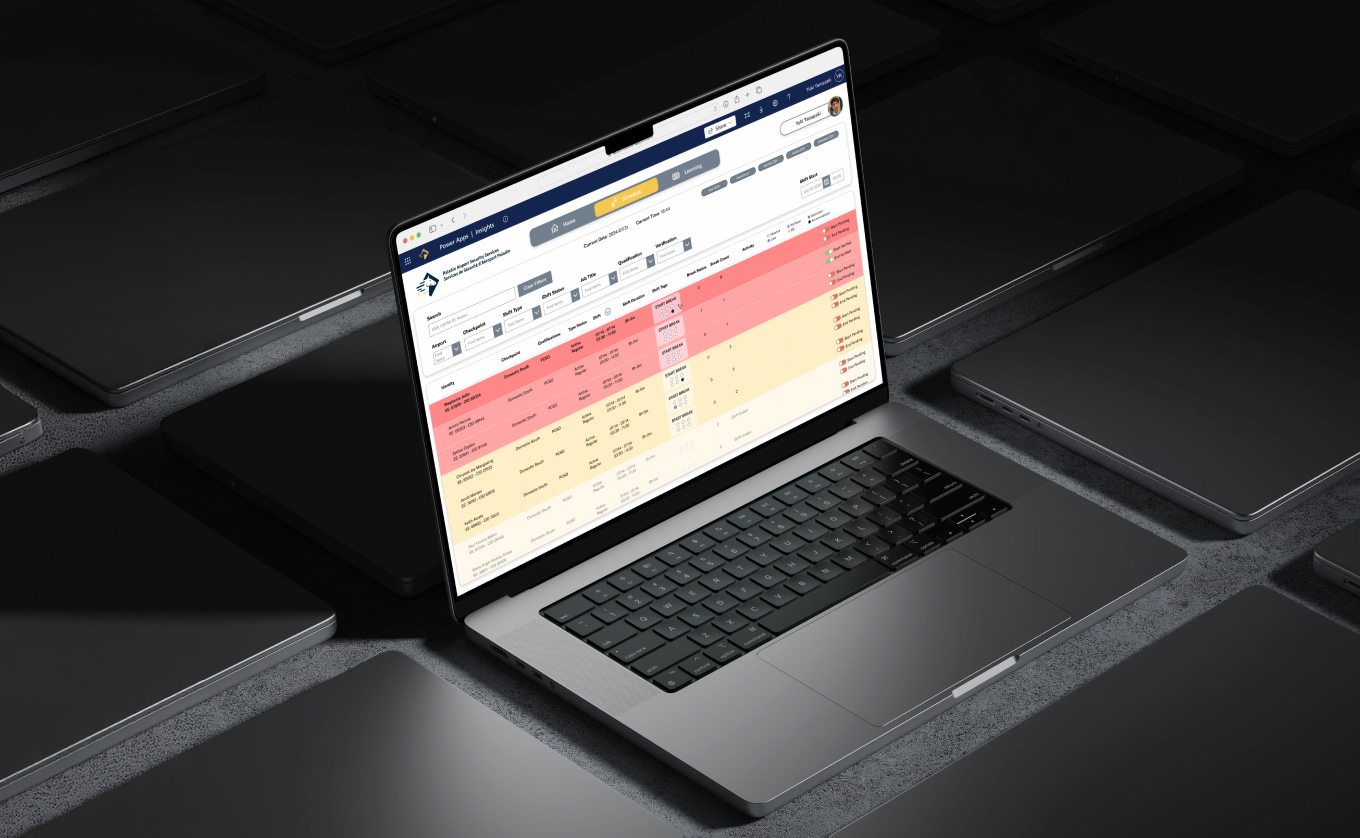
Providing a tool for airport screening officers that helps with staff management and scheduling.
Paladin Airport Security Services (PASS), is an organization under Paladin Security that focuses on providing airport screening services to all airports in the Canadian Pacific and Prairies regions. They offer services such as screening, access control, terminal security, as well as curbside customer service.
↳ the client.
The Application: inSights
Insights is a productivity application designed to streamline activity management, facilitate breaks, and distribute learning and briefing assignments to all staff throughout the different airports handled by PASS.
Staff Management + Scheduling
Using Microsoft Power Apps, inSights’ core features include a scheduling dashboard with a break management system, and a learning dashboard where managers can create and assign briefings.
Challenges in Workflow Efficiency
inSights is still undergoing changes and testing, encoding and transferring data from different systems and databases. The current experience struggles with gaps in usability, and questions surrounding the learnability of the current interfaces.
Problem Space.
Inefficient Management and Scheduling of Staff
A large amount of employee shifts and schedules are managed through inSights, and employees also have certain qualifications that need to be considered when assigning them to cover different posts. YVR is the largest airport in their contract, and due to the high volume of data entries and employees, it is crucial that managers/CRCs are able to set scheduled breaks efficiently, and have updated overviews or information provided to them.
"How might we improve the usability of inSights to ensure a more efficient workflow to accommodate users at all airports?"
↳ framing the problem to design an appropriate solution.
↳ our solution.
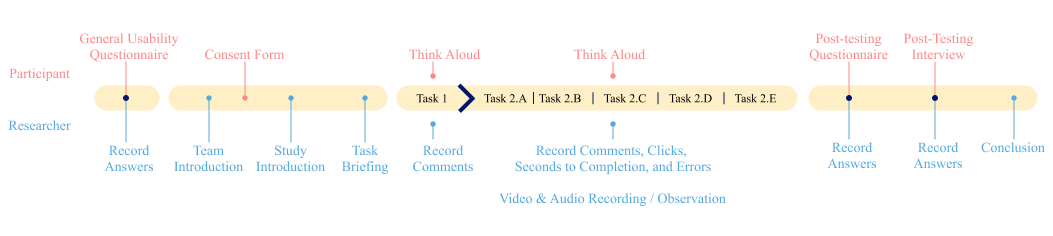
The 7-week duration of client and stakeholder interviews, surveys and questionnaires, usability testing + think-aloud exercises, and heuristic evaluations resulted in five key actions that the team recommends for the client to focus.
Evaluation Methods:
(1) Heuristic Evaluation
(2) Survey
(3) Usability Study
(4) Post-test Questionnaire + Interview
Recommendations:
(1) Filter system
(2) Scheduling view + visual hierarchy
(3) Affordances within the interface
(4) System feedback
(5) System automation

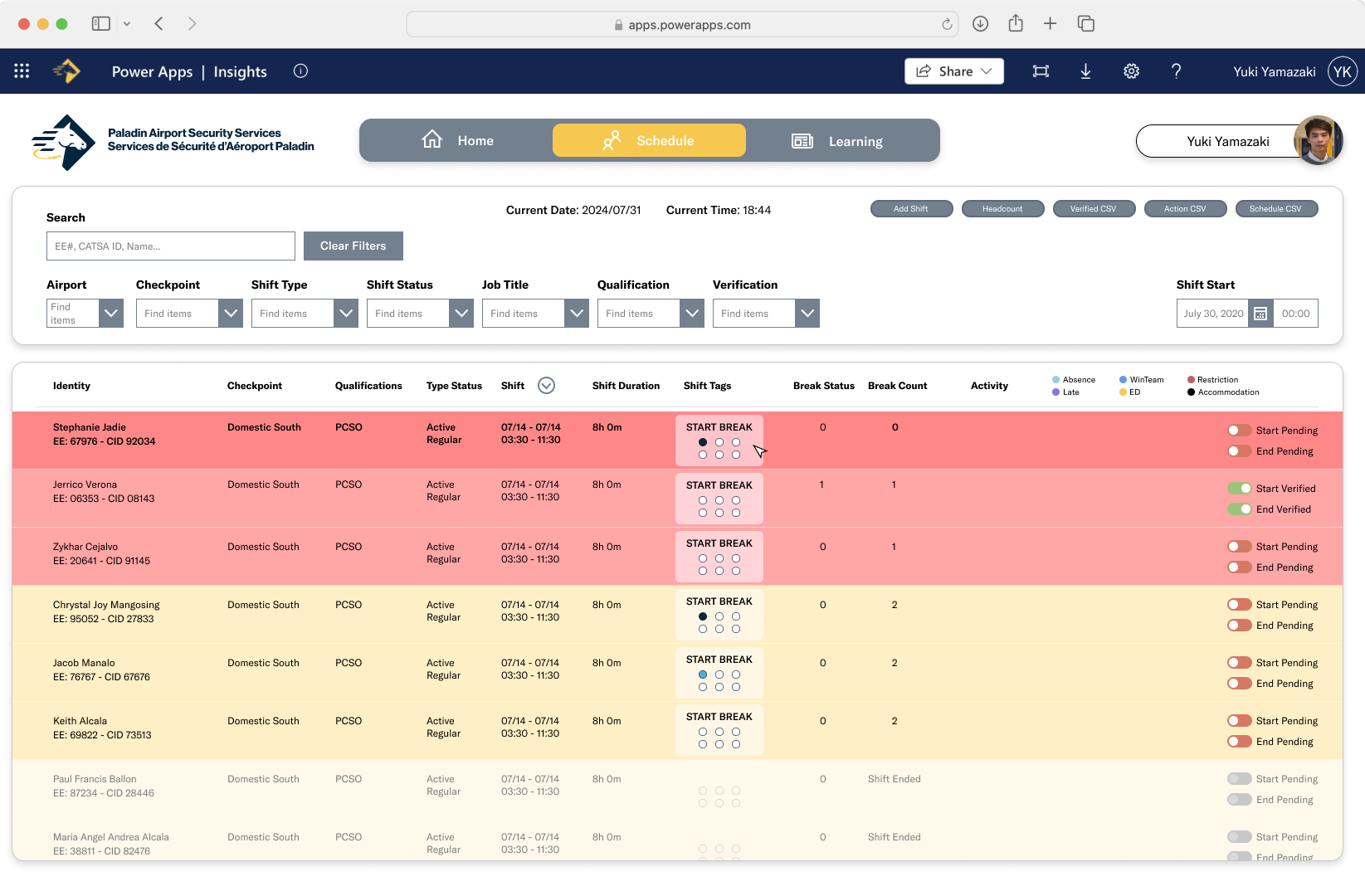
Proposed Dashboard Redesign.
Reducing cognitive load within the scheduling dashboard and redesigning interactive elements to be intuitive and consistent.
inSights Application Usability Study.
Designing Research Studies + Communicating with Different Stakeholders to Effectively Manage a Tight Schedule.
Heuristic Evaluations
Completed by the research team, consisting of four specialists to identify usability errors within inSights’ current interface prior to the usability testing, to design a more informed study.
Key insights:
(1) The scheduling dashboard needs to provide less visual distractions, reducing friction for screening officers when doing multiple tasks.
(2) Interactive elements need to clearly communicate their affordances to reduce error and improve task efficiency.
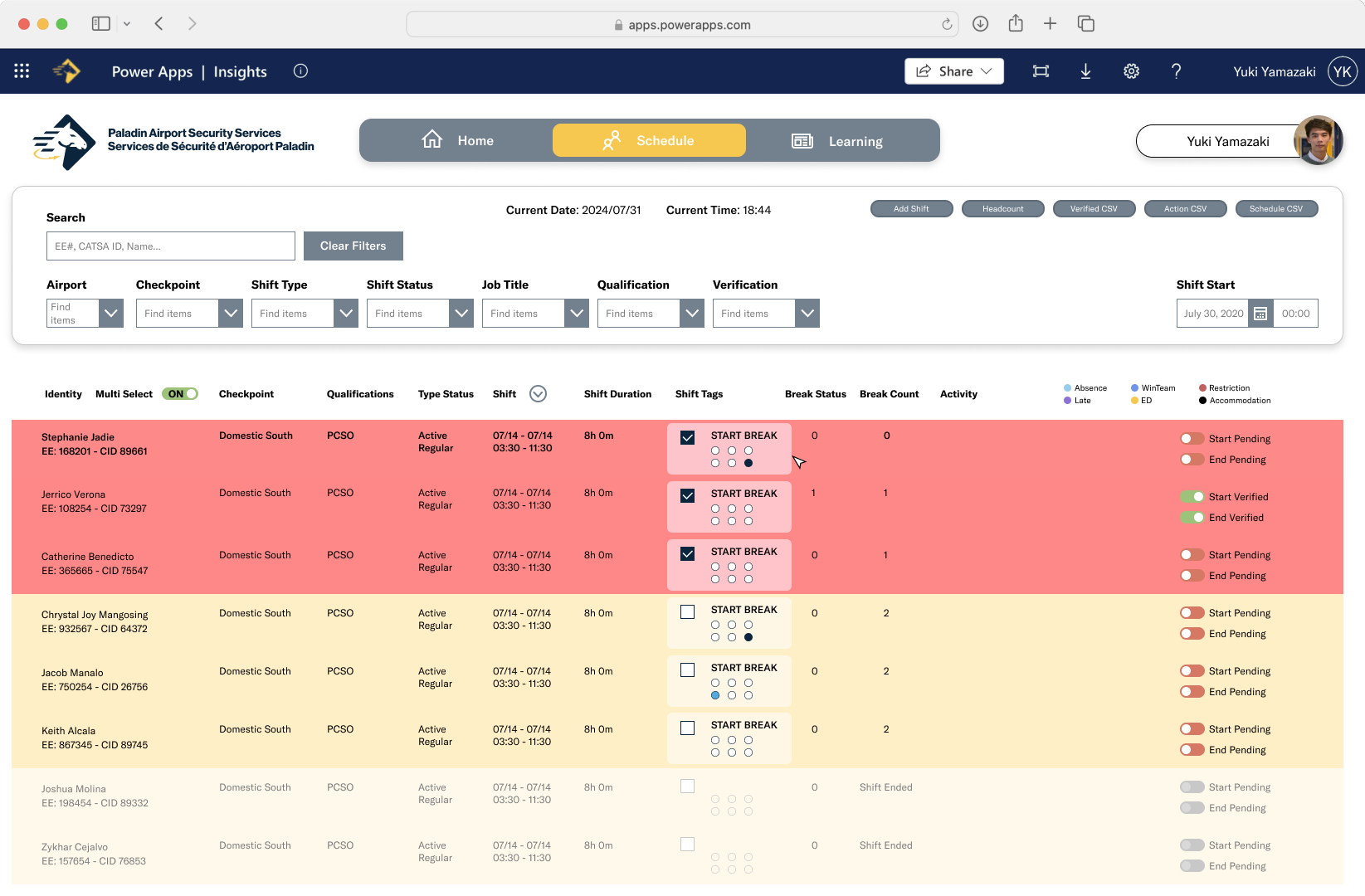
(3) Options to complete multiple tasks at once should be provided for efficiency and faster completion of task.
(1) Minimize memory load
Personal information for every staff member is displayed on the current scheduling interface, overwhelming users with information that may not be a priority for their goals.

(2) Simple and natural dialogue
Features of the inSights interface do not effectively communicate their affordances, resulting in users committing errors and lower efficiency with task completion.
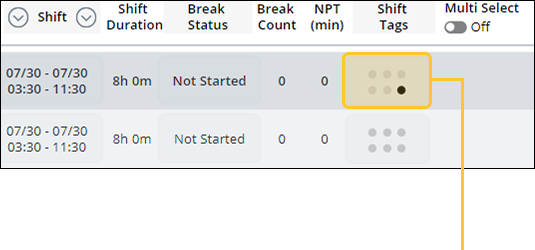
(3) Provide shortcuts
Current workflows within inSights could be enhanced to streamline work processes, allowing users to use their work time more efficiently.

Research Findings
Key Insights: Qualitative Data.
Surveys
(1) Lack of system automation/feedback: employee status and scheduling, data integrity, and system automation, which were all leading to more employee oversight and task inefficiency.
(2) Information clutter: redundant elements, lack of information hierarchy, and poor hierarchy.
(3) Unwanted actions: tedious or repetitive actions that frustrate users by increasing the time it takes to complete tasks.
Usability Testing
(1) Had difficulties with simple but imminent tasks such as locating a screening officer and schedule them for a break.
(2) Affordances are unclear or lacking intuitive icons/interactive elements.
Post-test Interviews
(1) Previous contractor applications were mostly automatic, inSIGHTS lacking alerts and automation.
(2) inSIGHTS is slow for higher volumes, takes system to process data entries.
Qualitative Data
Affinity Diagram of Survey Results.


Research Findings
Key Insights: Quantitative Data.
Usability Testing
(1) Long completion/high click count for tasks that should be quick and easy to complete.
(2) High quantity of errors and unnecessary interactions.
Post-test Questionnaire
(1) Based on Semantic Differential Likert Scale, interface is very easy to navigate.
(2) Participants rated confident when asked if they would be able to complete the tasks again at a faster rate.
(3) Most participants were fairly satisfied with the system.
Quantitative Data.
Visualizations of Results from Usability Testing.
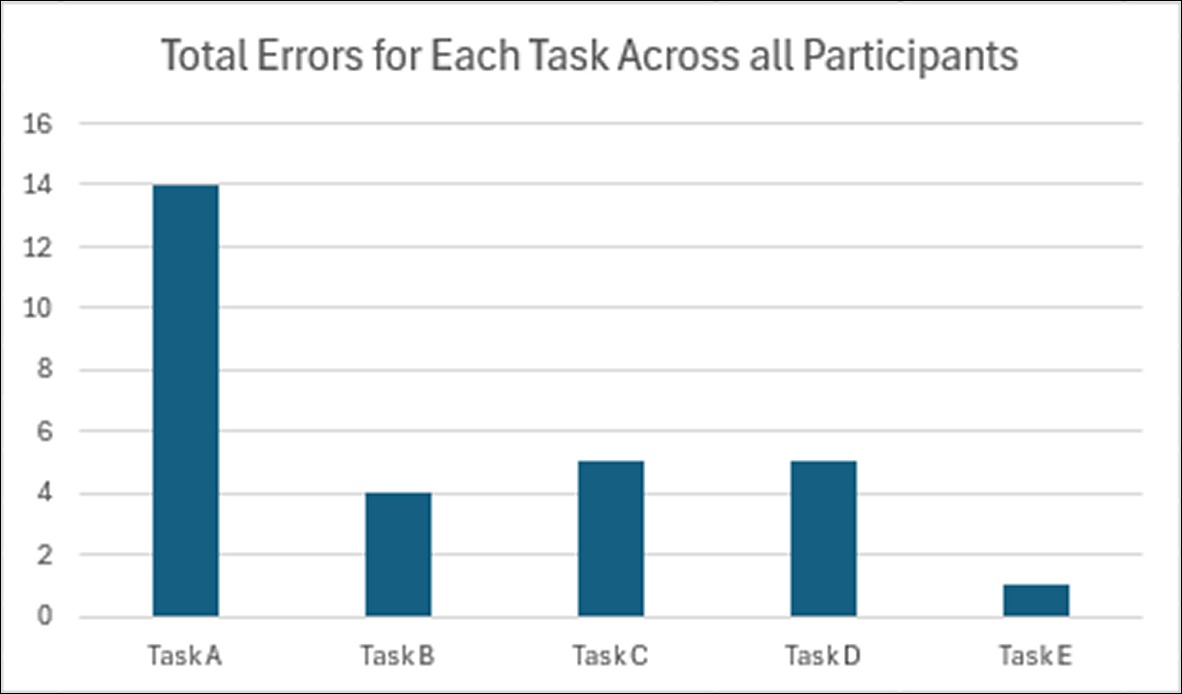
Task A and C required participants to schedule an SO on a future break for a specific duration and redeploy an SO to cover their position. As main tasks related to the scheduling feature of inSights, the observed longer completion times, higher click counts, and increased error rates suggest that tasks involving scheduling breaks need improvement. Additionally, three of the four participants had difficulties recognizing the shift tag as the button to schedule breaks.
Reducing cognitive load within the scheduling dashboard
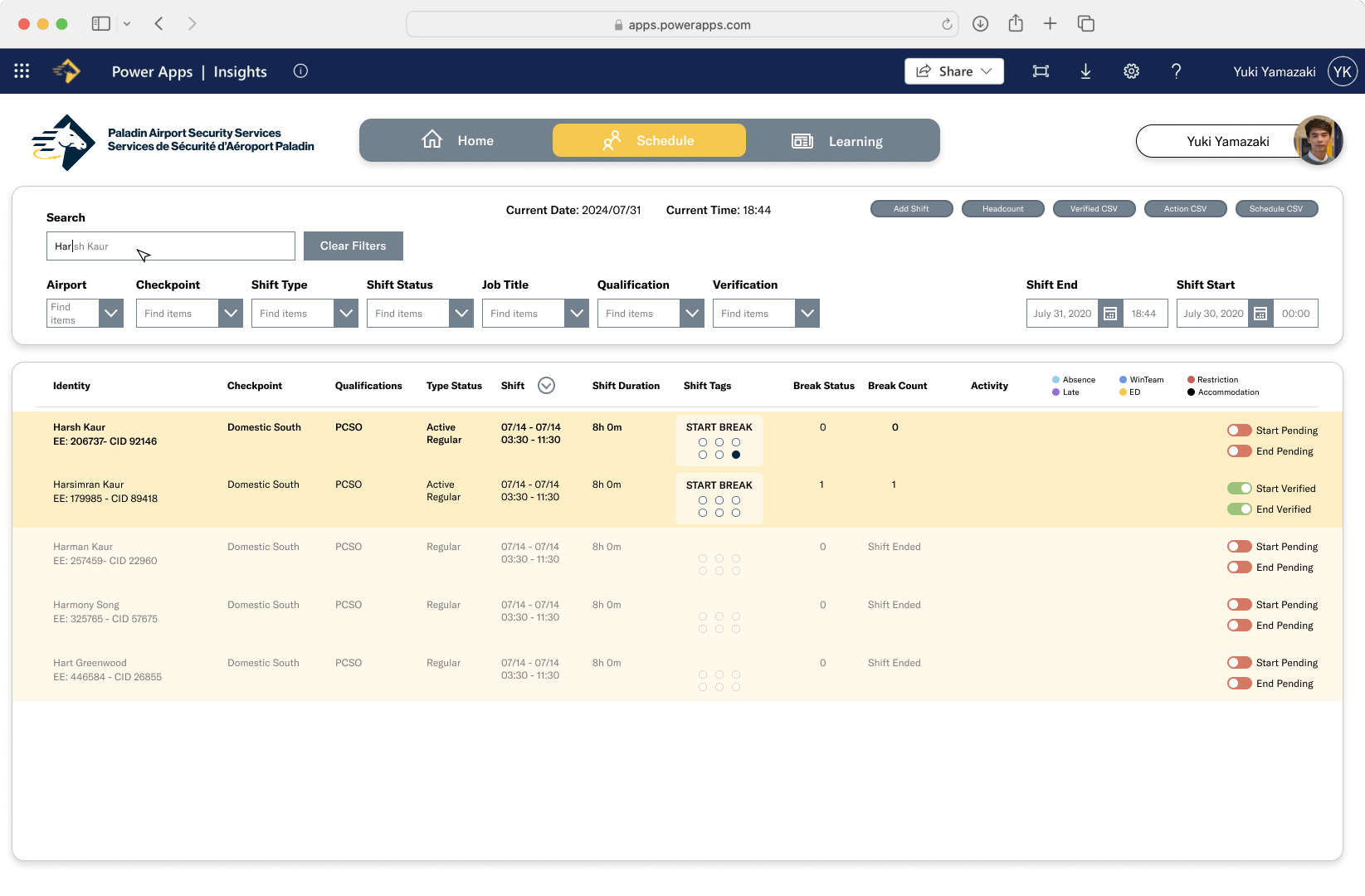
The dashboard automatically populates with every scheduled screening officer (SO) for the day, requiring the user to manually filter out completed shifts. Populating the dashboard with active and upcoming shifts only would allow the user to find active SOs more quickly and greatly improve the information hierarchy. Highlighting and automating repetitive actions could also help users complete tasks more quickly.
The interface displays how long each active SO has been working to show users who is due for a break. Highlighting SOs who are due for break would reduce cognitive load as users would not have to look at each SOs completed hours and minutes. SOs with upcoming or due breaks can be highlighted in the dashboard, with colour codes for first, second, and third breaks.
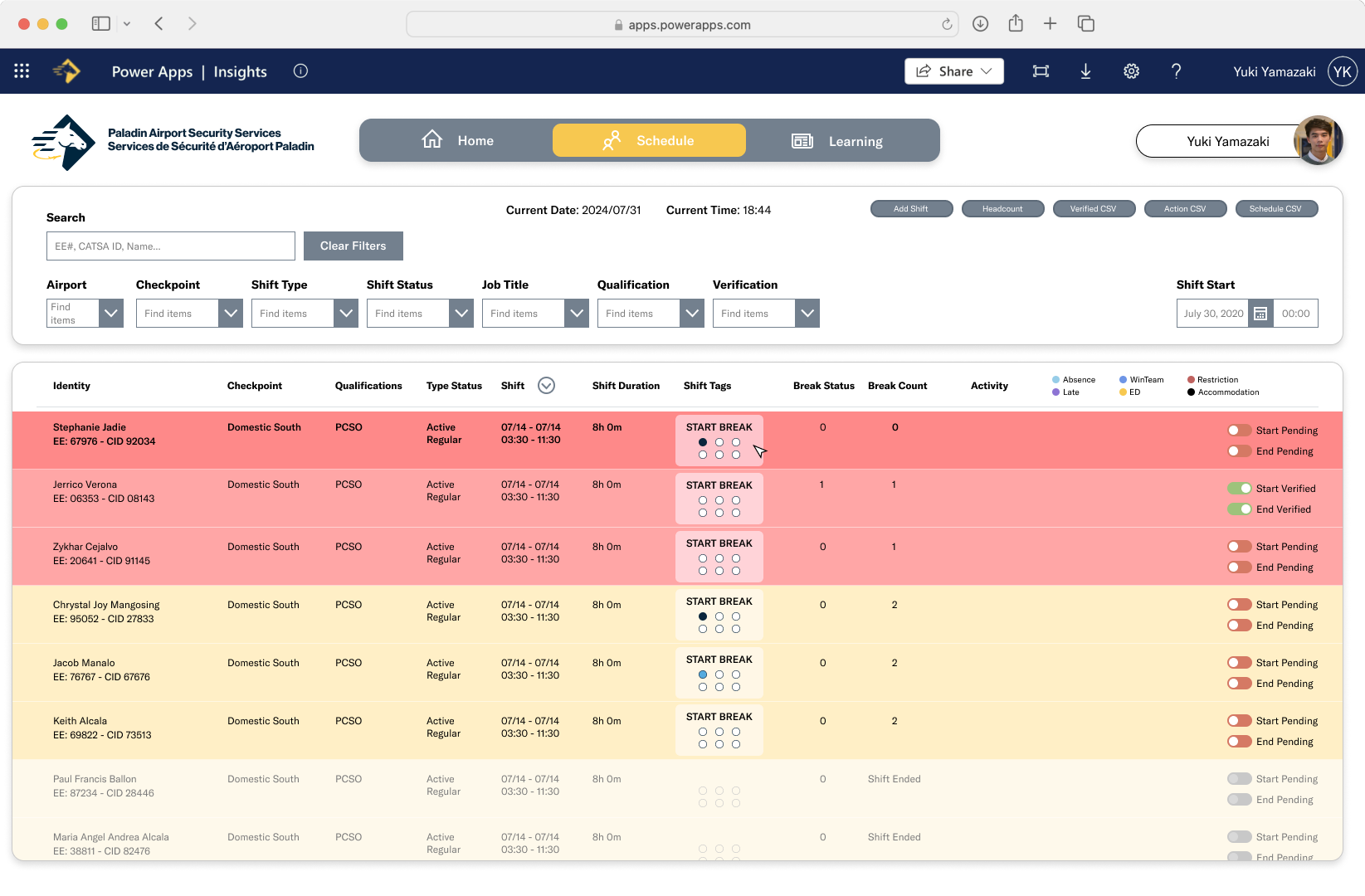
Enhancing recognition of shift status + optimizing multi-action tasks
The interface displays how long each active SO has been working to show users who is due for a break. Highlighting SOs who are due for break would reduce cognitive load as users would not have to look at each SOs completed hours and minutes. SOs with upcoming or due breaks can be highlighted in the dashboard, with colour codes for first, second, and third breaks.
As break duration is specified depending on an SOs scheduled hours and the break number they are on, automatically filling break durations could reduce the amount of manual data entry a Break Relief Coordinator (BRC) has to complete. The ability to schedule multiple SOs for the same break would also reduce the amount of repetitive actions from BRCs.
Predictive search + clear filter options
Dropdown menus in the scheduling tab were the primary location that increased task time. Once an airport is selected, the dropdown menus automatically populate with every possible parameter, requiring users to manually deselect parameters they do not need. A clear all filter would allow users to remove parameters with one action, allowing them to then select their preferred parameters. Alternatively, the default state of dropdown menus can start as empty, allowing users to select their own parameters from the start.
The search functionality for each menu also requires users to input the exact parameter name for it to show up. Errors are most prevalent in the Checkpoint dropdown menu, where each checkpoint name is prefaced with the airport code. However, users at their respective airports refer to checkpoints with their name only. A more flexible search function providing predictive suggestions could reduce the amount of user errors.

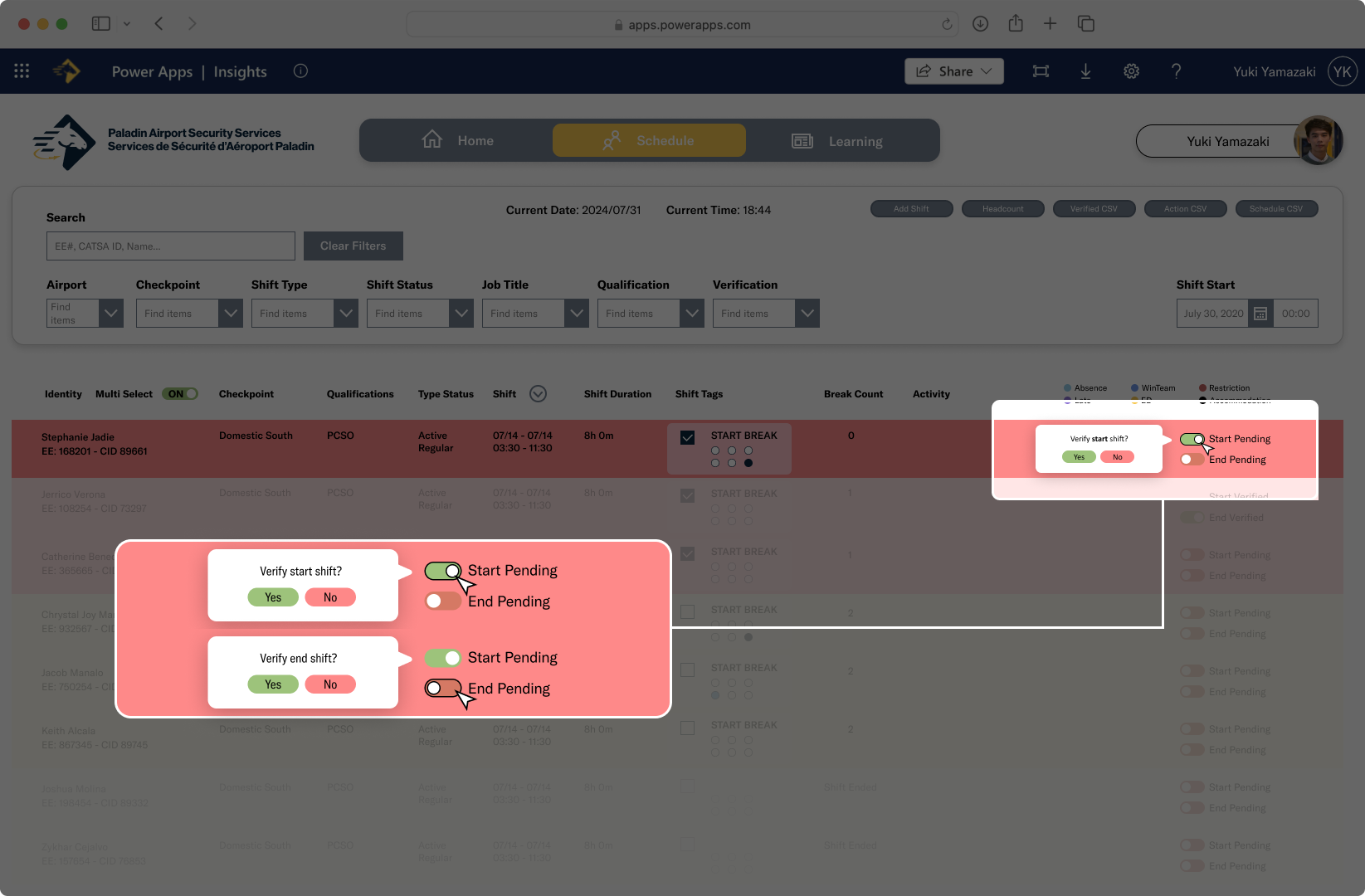
Task assignment confirmation
Redesigned number pad for time selection
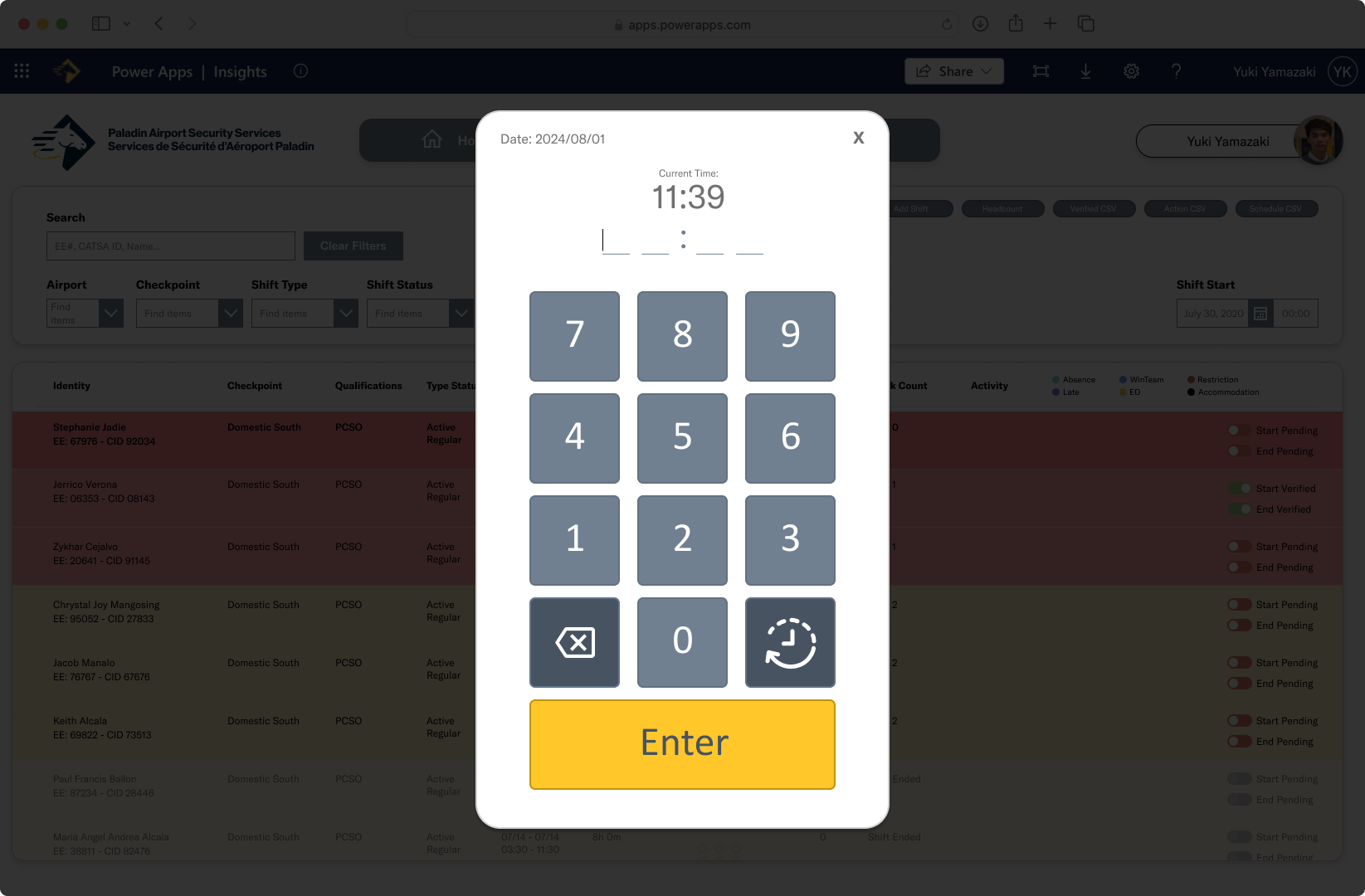
Increasing confidence in tasks + assisting with error recovery
Within the current interface, clicking on shift tags is the primary method of scheduling an action for an employee, however it does not indicate that it is an interactive element because it is not styled to resemble a button. In its current state, the shift tags and other clickable elements such as Shift and Break Status are unintuitive and require the user to hover on it to discover that it is interactive and what actions are available through this button.
The implementation of affordances on interactive elements can remove redundancies from unnecessary interactions, especially regarding Break or Break Status and the shift tags which both assign breaks in slightly different manners. With the redesigned interface, confirmation of actions are made to become clearer on their intended affordances.
Responses from the usability questionnaire noted frustration with not being able to correct errors. Allowing users to correct wrong inputs and adding a confirmation step could reduce the amount of incorrect time inputs.
↳ reflection.
